
Orders
Orders: Act on many orders at once
You can now select many orders and act on all of them together. Members do not see the boxes.
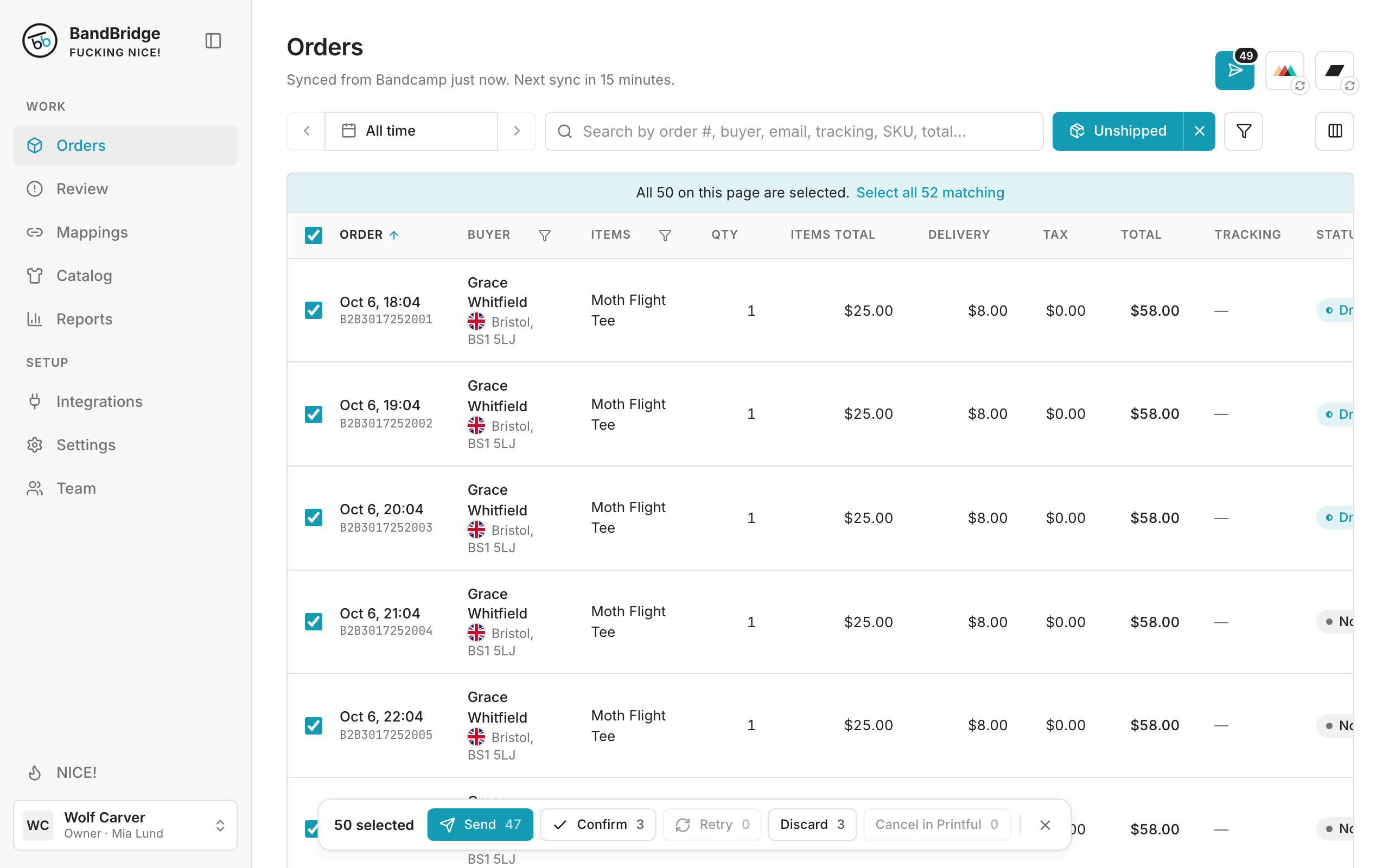
- 1Select the box in the table header to select all loaded orders.
- 2Click Select all 52 matching to select every order under the filter, up to 1,000.
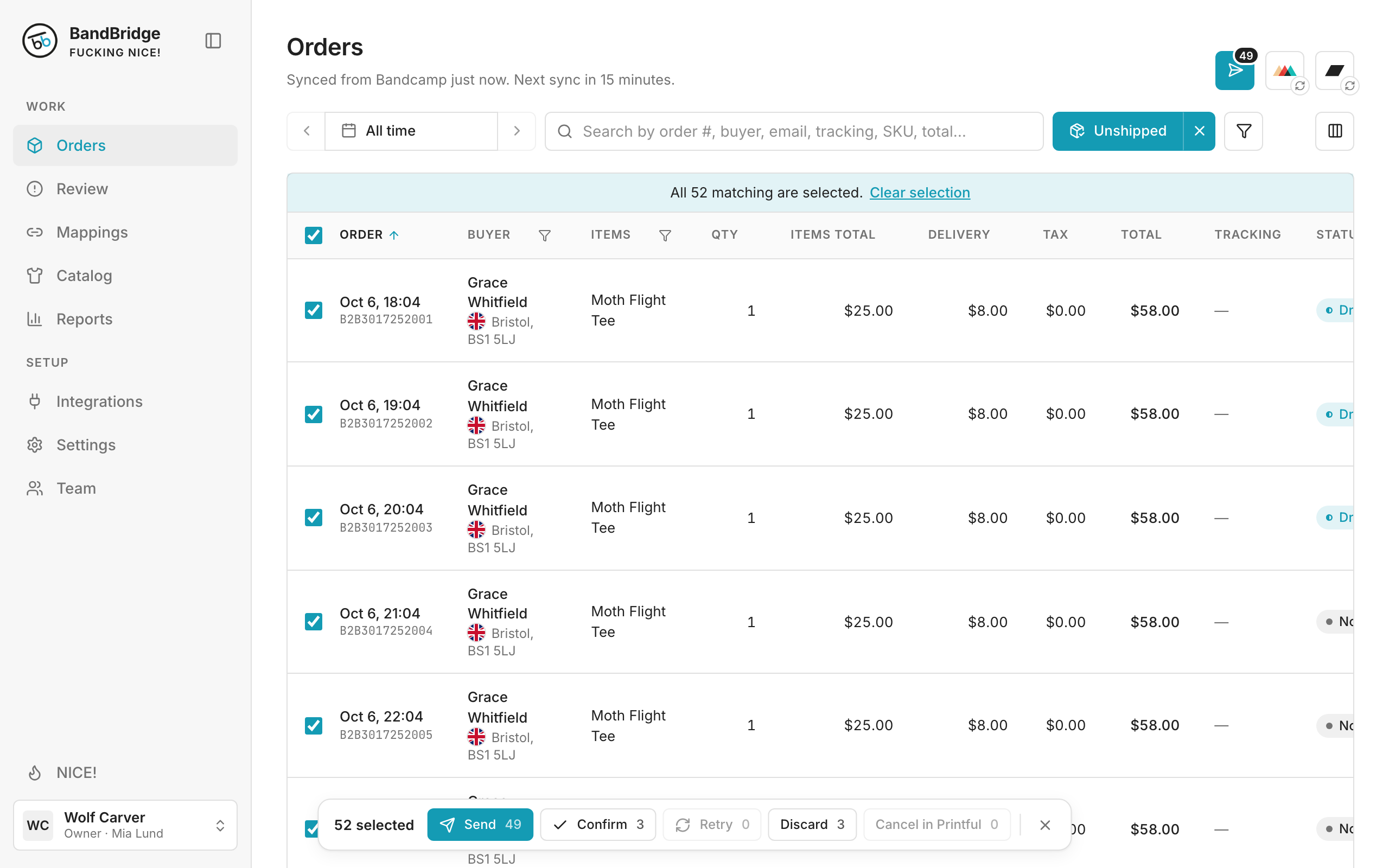
- 3The bar at the bottom shows how many orders each action takes.
- 4Click Confirm 3 to confirm the drafts.
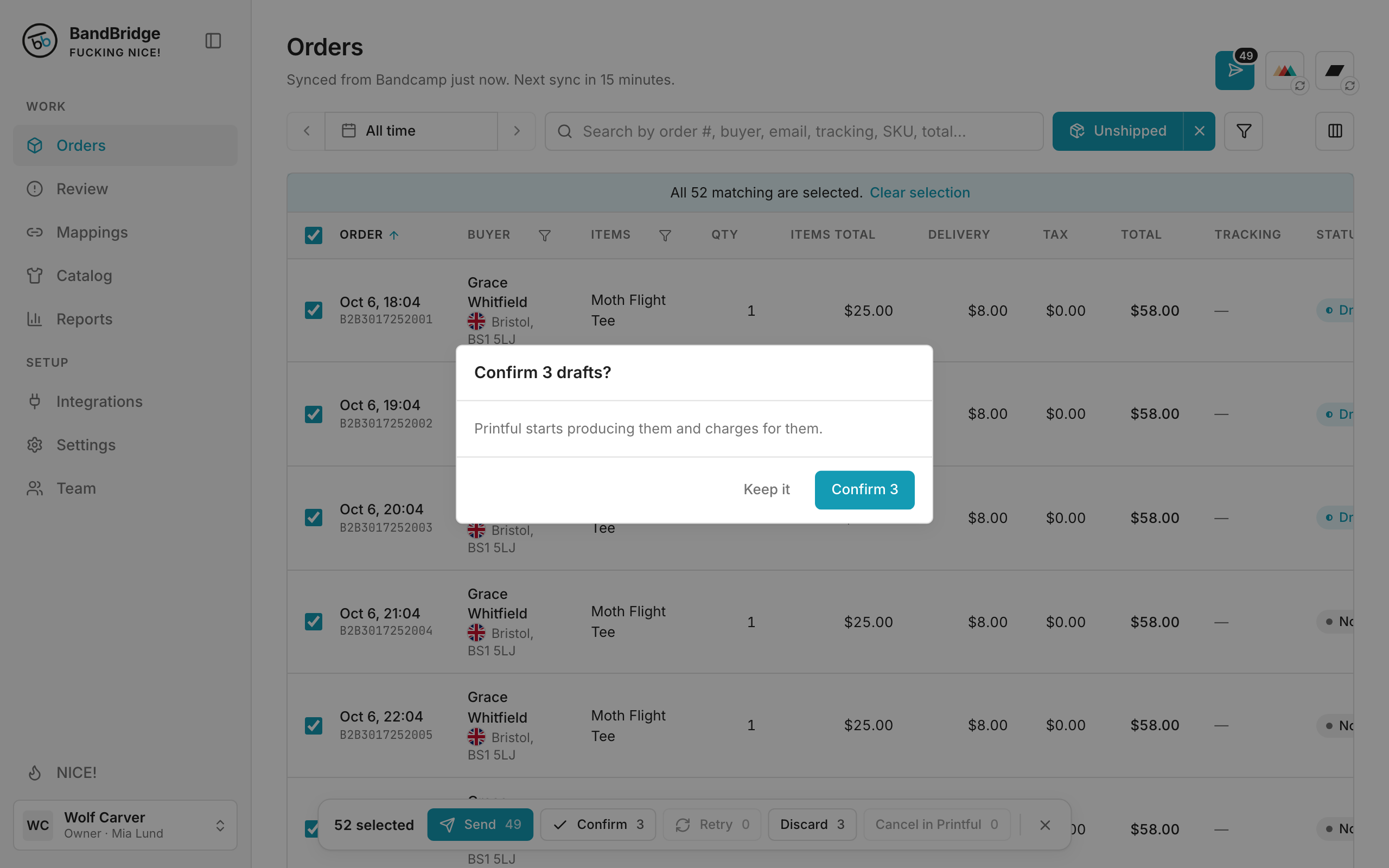
- 5Click Confirm 3 again. Confirm, Discard and Cancel in Printful ask first.