
Noyce!
Noyce!: See what is new in BandBridge
Noyce! in the menu shows the changes in BandBridge. A dot on Noyce! tells you that there are new changes.
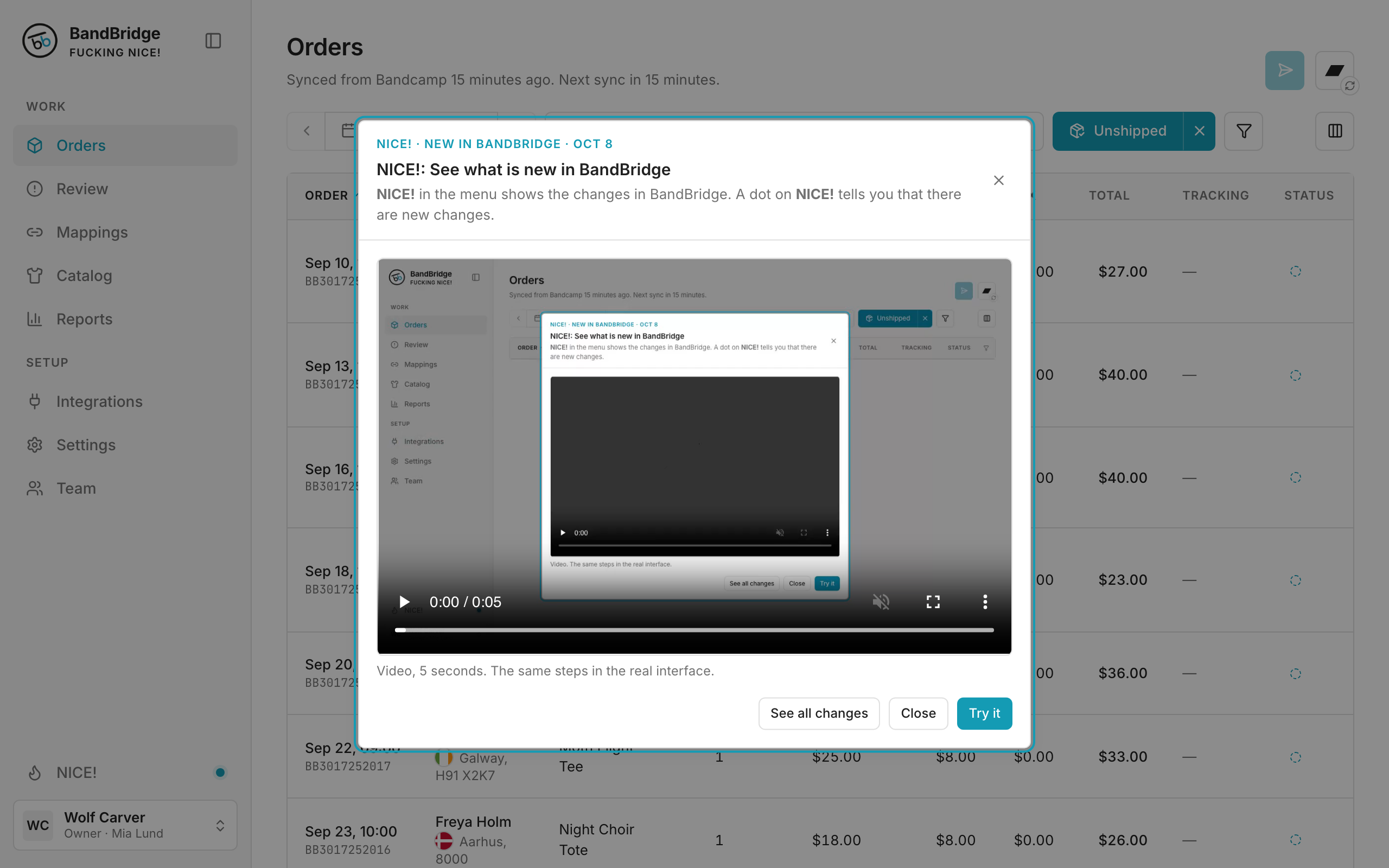
- 1After a release, a window shows the newest change.
- 2Click See all changes to open Noyce!.
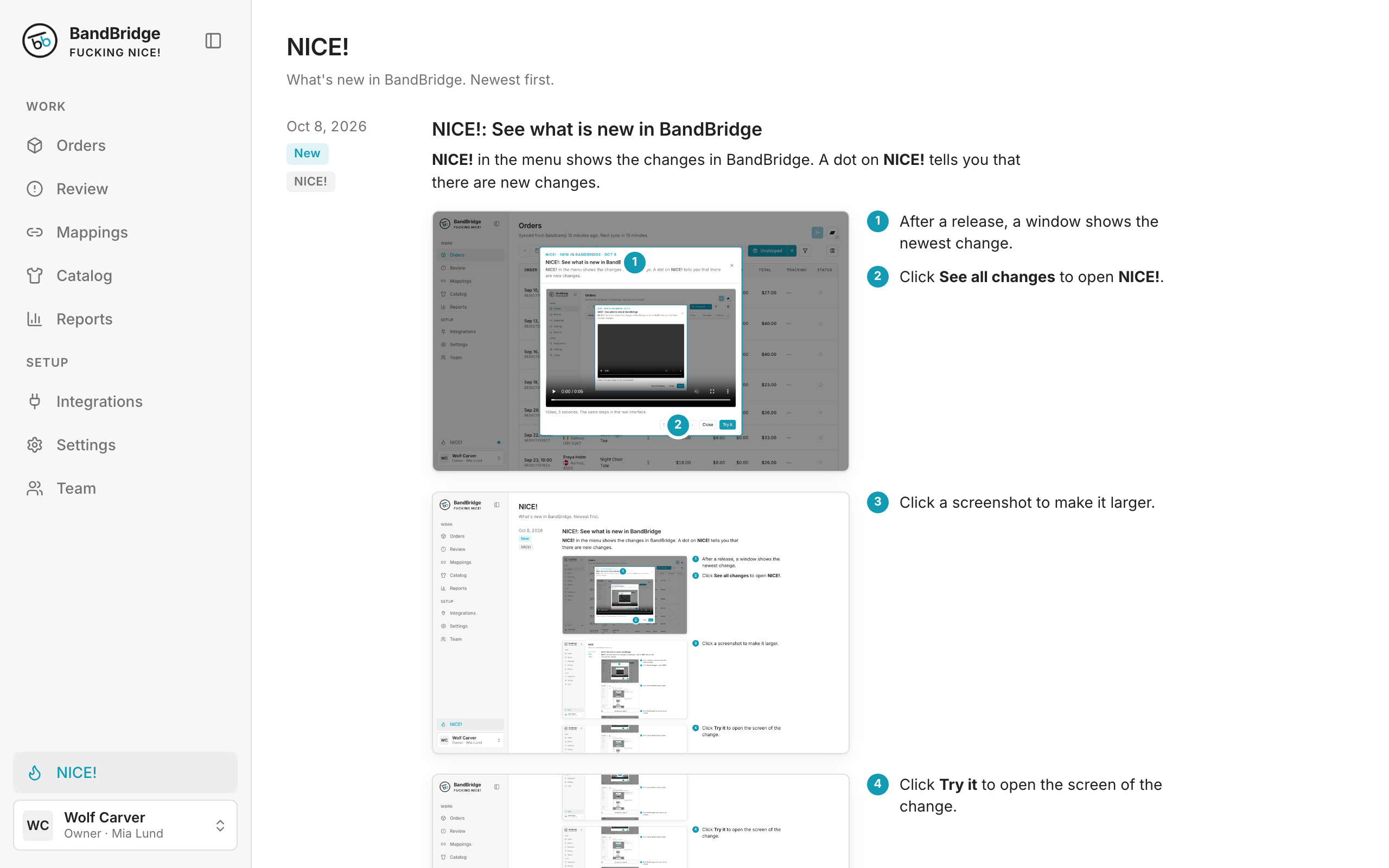
- 3Click a screenshot to make it larger.
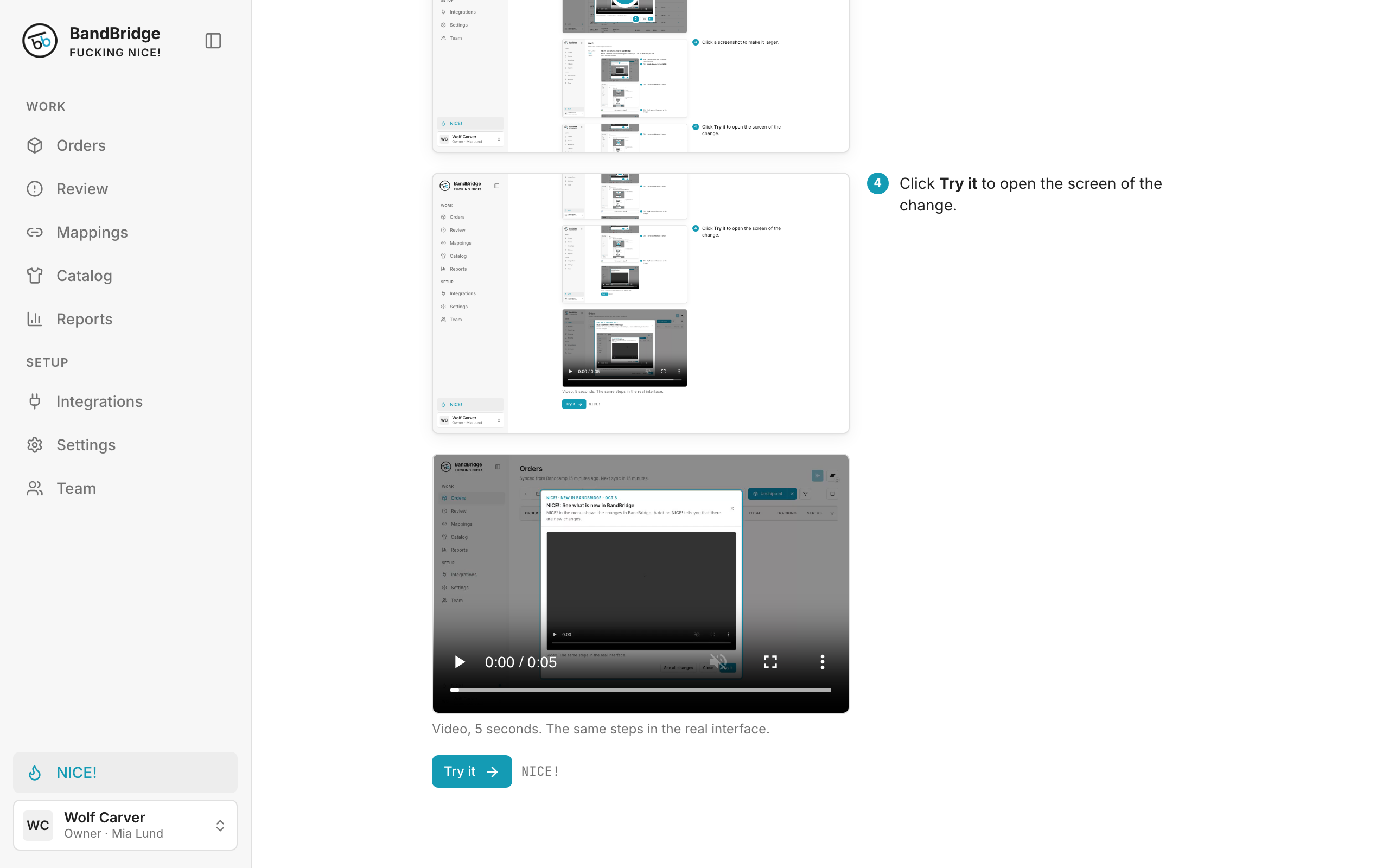
- 4Click Try it to open the screen of the change.