
Orders
Orders: Search, sort and select columns
You can find an order by number, buyer, email, tracking number, SKU or total. The search looks through all orders.
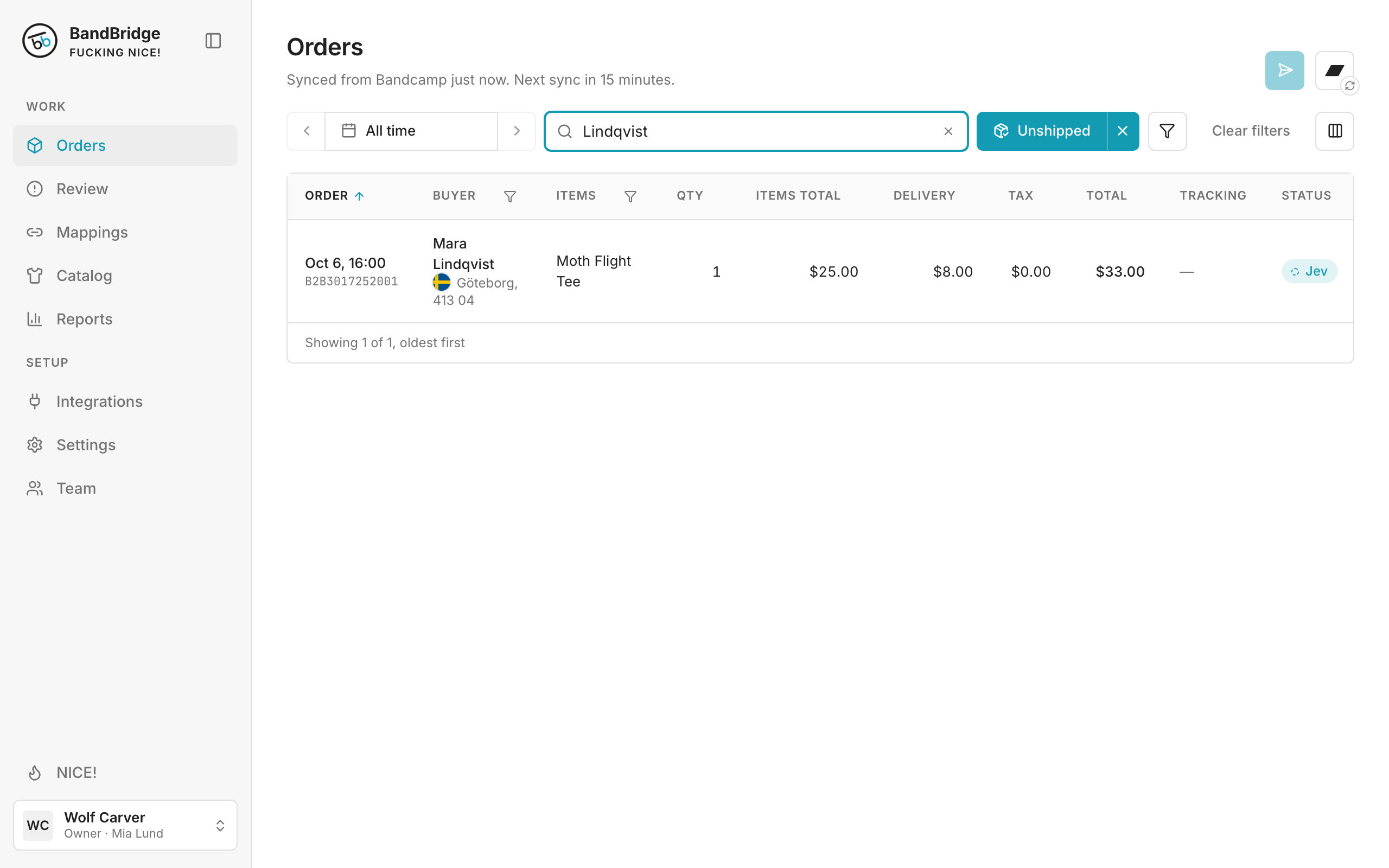
- 1Type a name, an order number or a SKU in the search box. The list updates while you type.
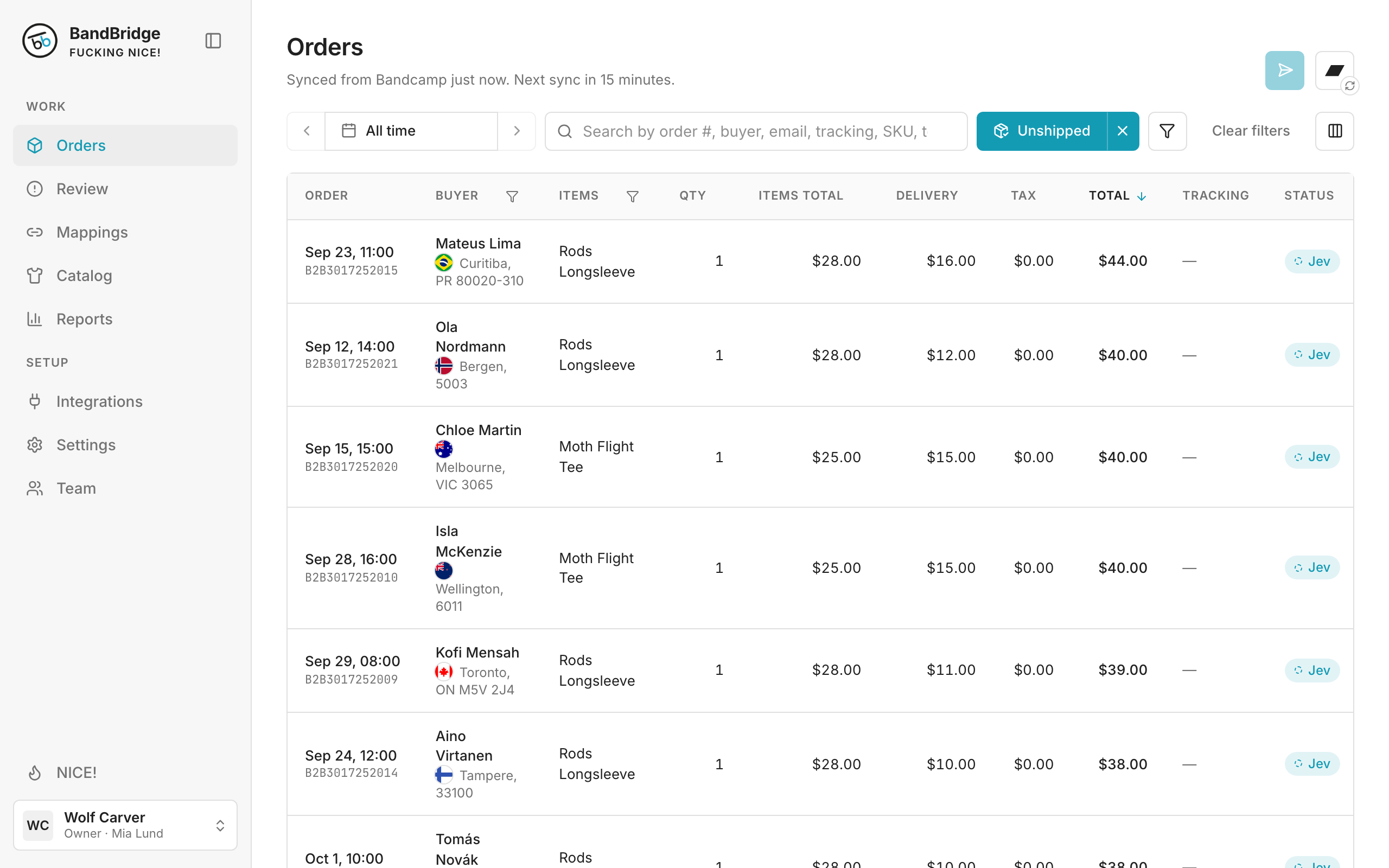
- 2Click the name of a column to sort by it. Click it again to change the direction.
- 3Click the columns icon to show or hide columns.