
Orders
Orders: Filter orders by country and item
The column names in the order list have filters. Select countries or items to see only those orders.
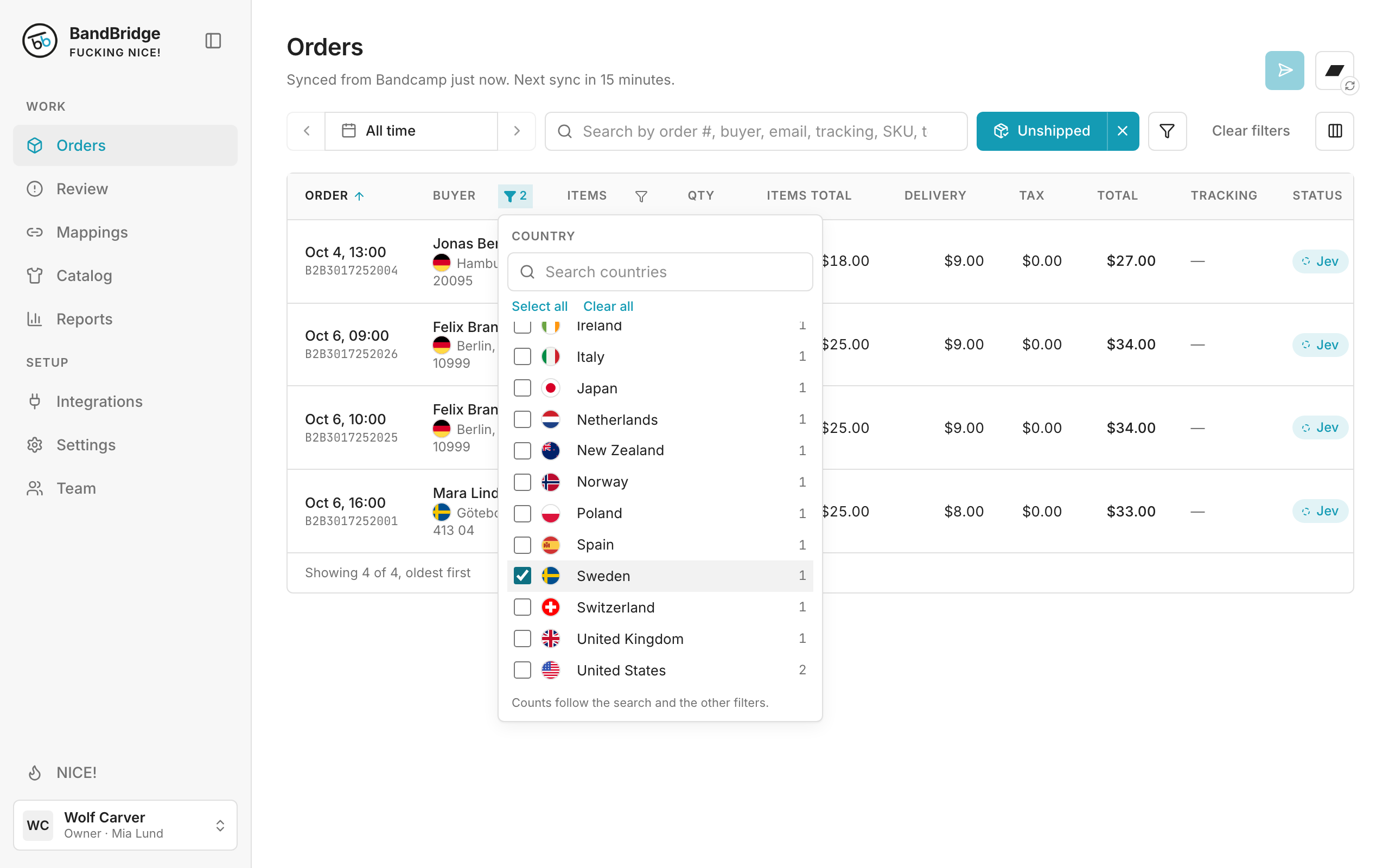
- 1Click the filter icon next to Buyer.
- 2Click Clear all. Select the countries you want to see. The list updates immediately.
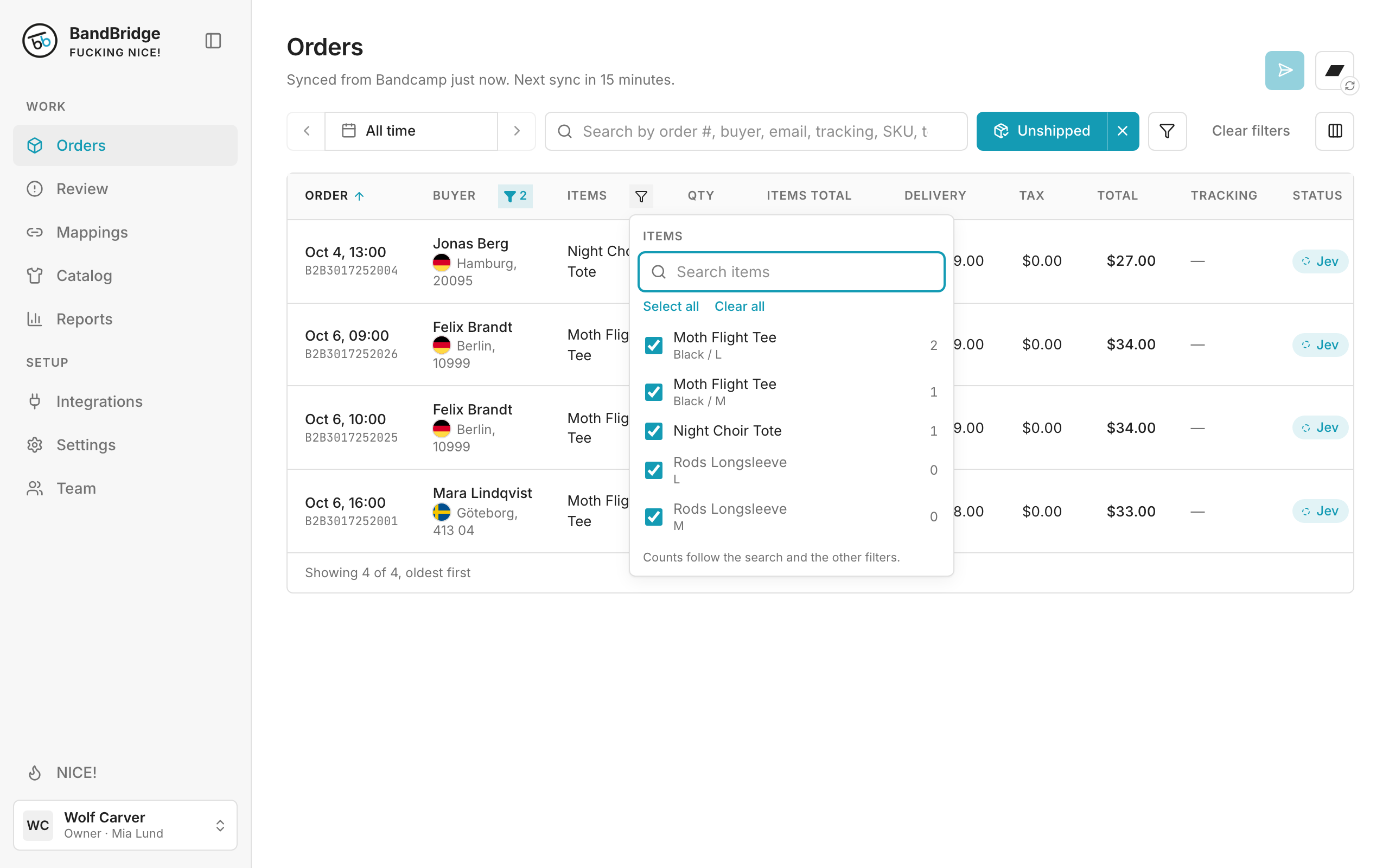
- 3Click the filter icon next to Items to select items.